



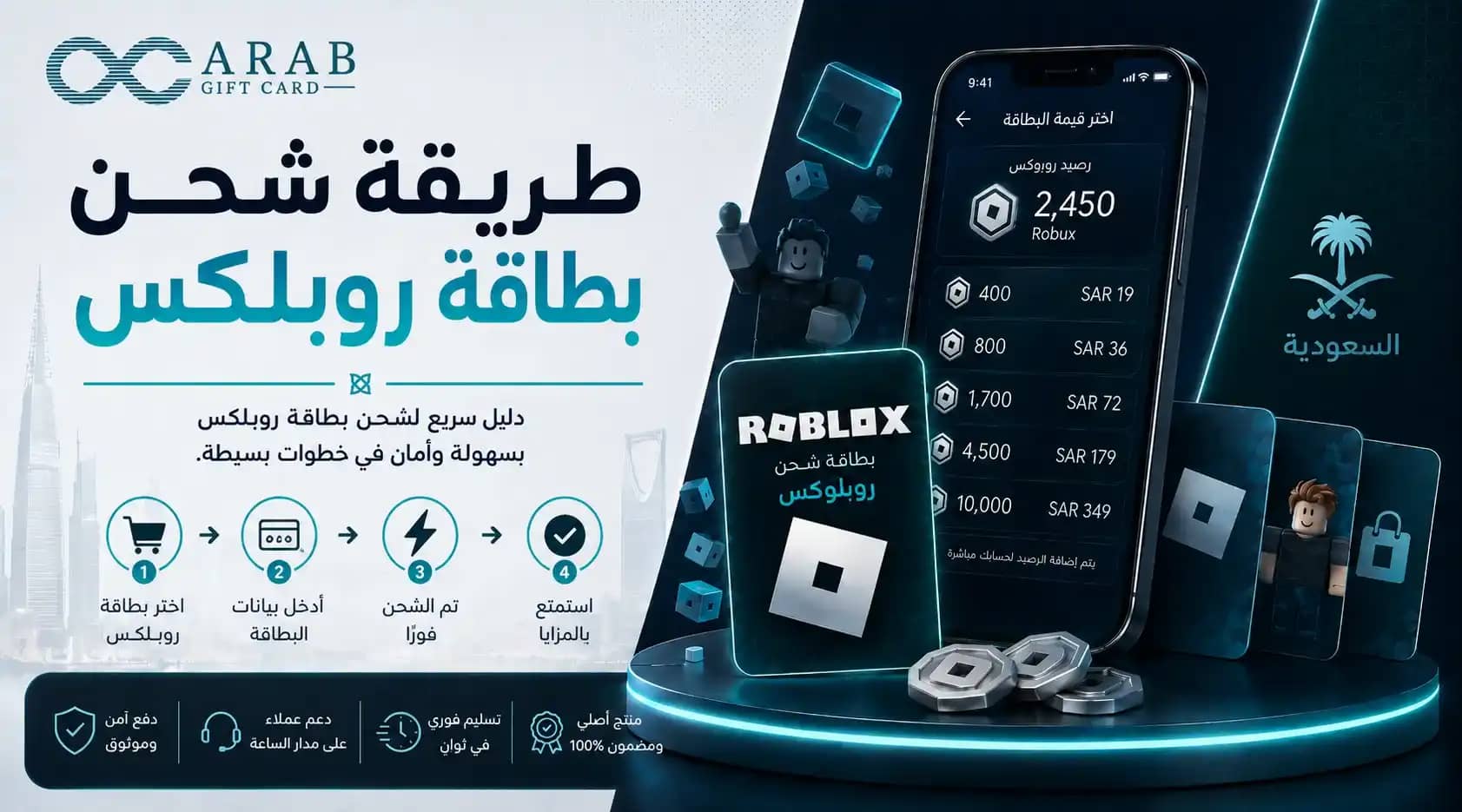
Learning how to redeem a Roblox gift card often confuses new players because redemption does not take place inside the mobile app as many assume, but rather through the official Roblox website via simple steps. If you have purchased a card and are unsure how to convert it into Robux in your account, this guide walks you through every stage—from the very first step to seeing your balance update. Because a smooth start relies on a guaranteed official code, Arab Gift Card provides genuine Roblox gift cards delivered via SMS the moment you check out using Mada—get your card now and start playing within minutes.
Below is a complete breakdown of how to redeem your Roblox gift card, where to enter the code, how your balance converts into Robux, and solutions to the most common troubleshooting issues.
What is a Roblox Gift Card?
Before learning how to redeem a Roblox gift card, it helps to understand what it actually is. A Roblox card is a pre-paid digital voucher containing value that converts into Robux—the primary currency in Roblox used to purchase avatar clothing, accessories, game passes, and exclusive in-game perks.
Cards come in various USD or SAR denominations, with each tier granting a set amount of Robux. Their main advantage is enabling you to fund your account without linking a personal debit or credit card, giving you total control over your spending by purchasing only the balance you need. For players looking to top up Roblox safely, official digital gift cards are the most secure path. Arab Gift Card delivers verified codes instantly upon purchase.
Steps to Redeem Roblox Cards
To handle the redemption process, follow the single official web-based flow. Redemption must be executed through a standard internet browser rather than the mobile application. Follow these steps:
Open a browser on your mobile phone or PC and visit the official redemption page: [roblox.com/redeem](https://roblox.com/redeem).
Sign in to the specific Roblox account you want to credit.
Enter your redemption pin into the designated text field and click Redeem.
The card's balance will be added to your account, which can then be converted into Robux with a single click.
Completing these steps successfully finishes the redemption process. If you want the fastest way to top up, having your digital code ready beforehand makes all the difference—which Arab Gift Card ensures through immediate SMS delivery.
The redemption process remains identical whether you use an Android device, iPhone, Mac, or Windows PC: simply open the official URL inside a web browser rather than attempting it inside the app. If this is your first redemption, keeping a screenshot of your digital code handy is a useful backup until the redemption is complete.
How Card Balance Converts into Robux in Your Account
This step often causes confusion for beginners: when you redeem a voucher, the value may first appear as account credit rather than Robux directly, particularly with USD-denominated cards.
To convert this credit into Robux, navigate to the Buy Robux section on the website and select your available account credit as the payment method. The Robux balance will then reflect in your account immediately. Direct Robux gift cards, on the other hand, credit the currency balance automatically without requiring this extra step.
Understanding this conversion flow ensures you never wonder where your balance went. Once converted, your Robux is ready to spend across any experience on the platform.
Alternatively, instead of linking a payment card directly to the game account or worrying about recurring auto-renewals, using pre-paid Roblox gift cards offers a safe, self-contained payment method that protects your personal financial data while giving you complete budget control.
Why Doesn't the Gift Card Option Appear in the Roblox App?
Many players spend time searching in vain for a "Redeem Card" button inside the mobile app. The explanation is straightforward: for security and policy reasons, Roblox handles all gift card redemptions exclusively via external web browsers ([roblox.com/redeem](https://roblox.com/redeem)), omitting the redemption interface from the mobile app entirely.
The solution is to simply open the official link in your mobile web browser (such as Safari or Chrome), log in to your account, input the digital code, and then switch back to the app to see your updated balance. Knowing this upfront saves substantial troubleshooting time.
Types of Roblox Cards and Which One Suits You
Roblox cards vary by regional currency and stored value. Matching the currency to your account region ensures smooth conversion:
Card Tier | Approximate Robux Yield | Best For |
$10 USD | ~800 Robux | Minor in-game cosmetics & accessories |
$25 USD | ~2,000 Robux | Active regular players |
100 SAR | Varies by current exchange | Saudi regional accounts |
$50 USD | ~4,500 Robux | Major item bundles & exclusive game passes |
Selecting the right denomination is part of managing your Roblox balance efficiently. Regional SAR cards suit players targeting clear, local-currency billing, whereas USD cards provide access to global standard tiers. All of these options are available as instant digital codes on Arab Gift Card.
Common Errors That Cause Roblox Card Redemption to Fail
Most redemption failures arise from minor clerical errors that are simple to avoid. Verify these factors before contacting support:
Entering the code in the mobile app: The app lacks a redemption console; use an internet browser instead.
Currency region mismatches: Verify that your card currency aligns with your account's regional settings.
Typographical errors: Copy and paste the alphanumeric code carefully, making sure no trailing spaces or mistaken characters are included.
Unverified third-party sources: Unofficial vendors risk delivering previously used or invalid codes.
Avoiding these missteps ensures your redemption succeeds on the first attempt. Purchasing from an authorized distributor like Arab Gift Card guarantees an active, verified code backed by immediate customer support if you encounter any platform delays.
Whatever Name You Search For, the Top-Up Process Is the Same
Players frequently use varied search terms—such as "how to top up Roblox," "Robux recharge guide," or "Roblox card redemption"—when looking for instructions. Regardless of the phrasing used, the underlying technical path is identical:
Whether described as "Roblox card redemption" or "Roblox top-up steps," the process always directs through the official browser portal.
Queries like "I want to charge Robux" or "convert card to Robux" both resolve to applying the voucher balance on your account page.
Variations in wording describe the exact same objective: redeeming an authentic code to add balance to your profile.
No matter the phrasing, obtaining an authentic code from Arab Gift Card ensures your voucher delivers instantly via SMS and works seamlessly on your first attempt.
In short, redeeming a Roblox card is straightforward once you remember to use a browser rather than the app. Success comes down to three factors: an official code, the correct URL, and signing into the intended account.
Frequently Asked Questions About "How to Redeem a Roblox Gift Card"
Here are direct answers to the most common questions regarding Roblox card redemption: